Dedicated ChatGPT backup extension Live now

Export ChatGPT Chats to Notion, Markdown, PDF, and Obsidian in Bulk

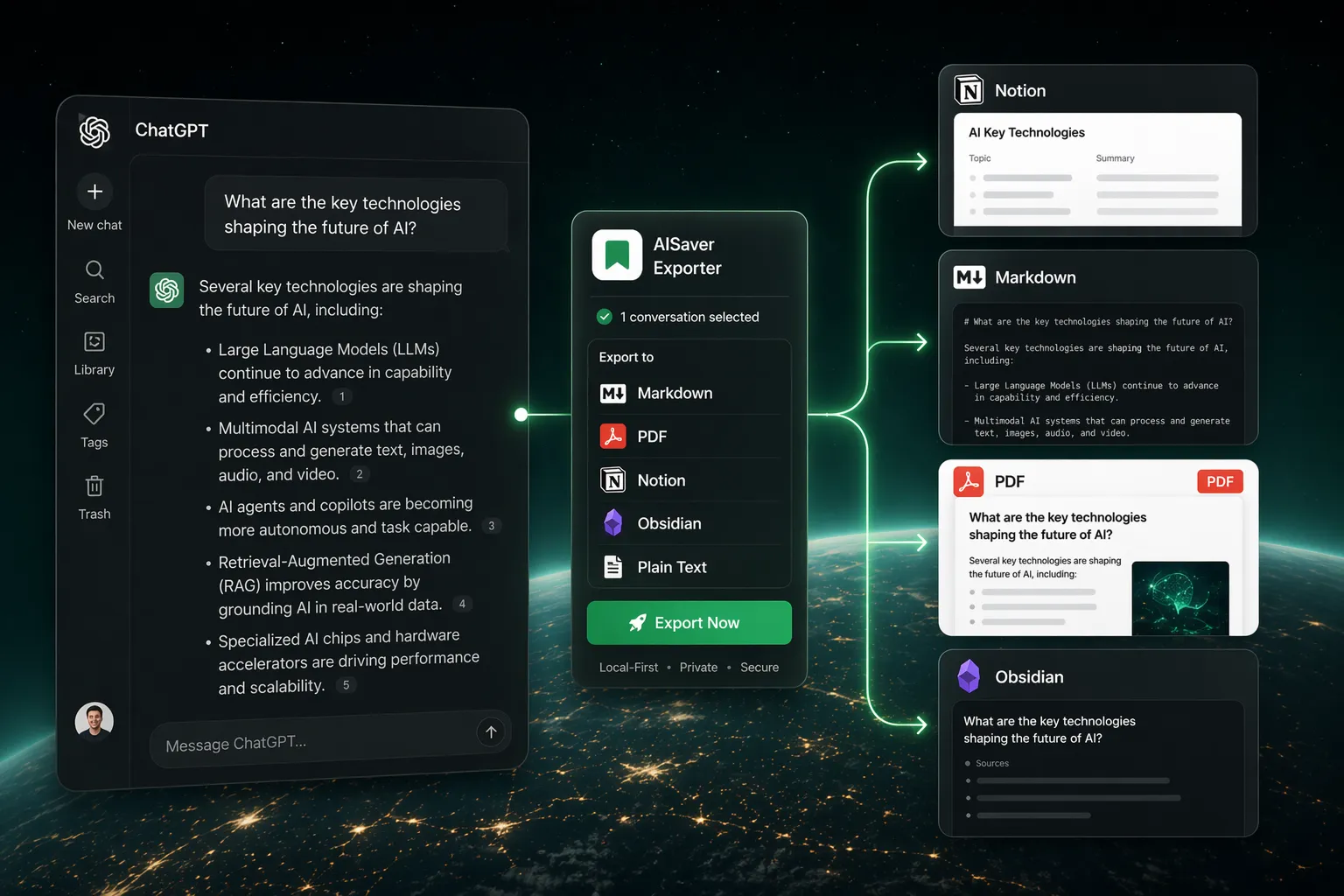
AISaver for ChatGPT is built for people who treat ChatGPT as a real workbench. Bulk export ChatGPT history, opened tabs, and project conversations into Notion, Markdown, PDF, and Obsidian-friendly files without copying chat by chat.

Available now in the Chrome Web Store.

Local-first exportsNotion, Markdown, PDFObsidian-friendly workflows
ChatGPT export plugin
Promise

Built for ChatGPT power users

Destinations

Notion, Markdown / Obsidian, PDF

Best for

Founders and operators documenting product thinking

What it handles

Built around real ChatGPT export jobs.

The important details are not hidden in a generic saver flow. This page focuses on the specific archive patterns ChatGPT users actually need.

Bulk export ChatGPT history in one workflow

Sync GPT Project conversations

Export opened ChatGPT tabs together

Save to Notion, Markdown, PDF, and Obsidian

Platform fit
Project-aware export workflows for ChatGPT Projects
Local-first file generation for Markdown and PDF exports
Structured Notion sync with reusable metadata fields
Clean export naming and folder controls for archive-heavy workflows
Export targets

Choose the destination that fits the next step.

Save conversations to the formats that fit your review, sharing, and long-term archive workflow: Notion, Markdown / Obsidian, PDF.

Notion

Push ChatGPT conversations into a connected Notion database with structured fields.

  • Database-ready metadata
  • Clean rich-text formatting
  • Useful for second-brain and CRM-style archives

Markdown / Obsidian

Create readable Markdown files that drop neatly into Obsidian or any PKM workflow.

  • YAML frontmatter
  • Code blocks preserved
  • Easy local backup and search

PDF

Generate shareable PDF exports for reporting, review, and offline reference.

  • Readable layout
  • Good for compliance or handoff
  • Saved directly from the browser
Use cases

Where ChatGPT exports become useful

Turn ChatGPT research, prompting, and product planning into a searchable Notion database.
Back up long coding sessions, debugging threads, and prompt experiments to Obsidian.
Export ChatGPT chats before cleaning history or migrating workflows to another tool.
Create PDF snapshots of important prompts and answers for review or client handoff.
Best-fit users
Founders and operators documenting product thinking
Developers archiving code discussions and debugging sessions
Researchers and students saving prompt-heavy study threads
Consultants turning ChatGPT output into reusable deliverables
User feedback

What users want from ChatGPT exports

“I needed to bulk export ChatGPT conversations into a Notion database for client research. This is the first workflow that felt purpose-built instead of hacked together.”

Maya R. · Consultant

“Saving ChatGPT project conversations to Markdown for Obsidian used to be messy. This cleaned up the whole archive process.”

ChatGPT FAQ

Focused answers for common setup, privacy, and export questions.

Can I export ChatGPT Projects, not just normal chats?

Yes. The extension includes project-aware bulk export support so you can sync project conversations instead of treating every thread as an isolated chat.

Does it save ChatGPT chats locally or upload them somewhere first?

Markdown and PDF exports are generated locally in your browser. Notion is only used when you explicitly connect your own workspace and choose Notion as the destination.

What formats can I export from ChatGPT?

The ChatGPT plugin exports to Notion, Markdown, and PDF. Markdown is designed to work well with Obsidian and similar note-taking tools.

Why use a dedicated ChatGPT exporter instead of a generic AI chat saver?

Because ChatGPT has its own project structure, history patterns, and page behavior. A dedicated plugin gives cleaner bulk export and less brittle workflows than a one-size-fits-all scraper.