Dedicated Gemini backup extension Live now

Export Google Gemini Chats to Notion, Markdown, PDF, and Obsidian

AISaver for Gemini is built for users who need more than a text dump. Bulk export Gemini conversations into Notion, Markdown, PDF, and Obsidian workflows while keeping image-heavy chats, formulas, and structured research notes easier to preserve.

Available now in the Chrome Web Store.

Local-first exportsNotion, Markdown, PDFObsidian-friendly workflows
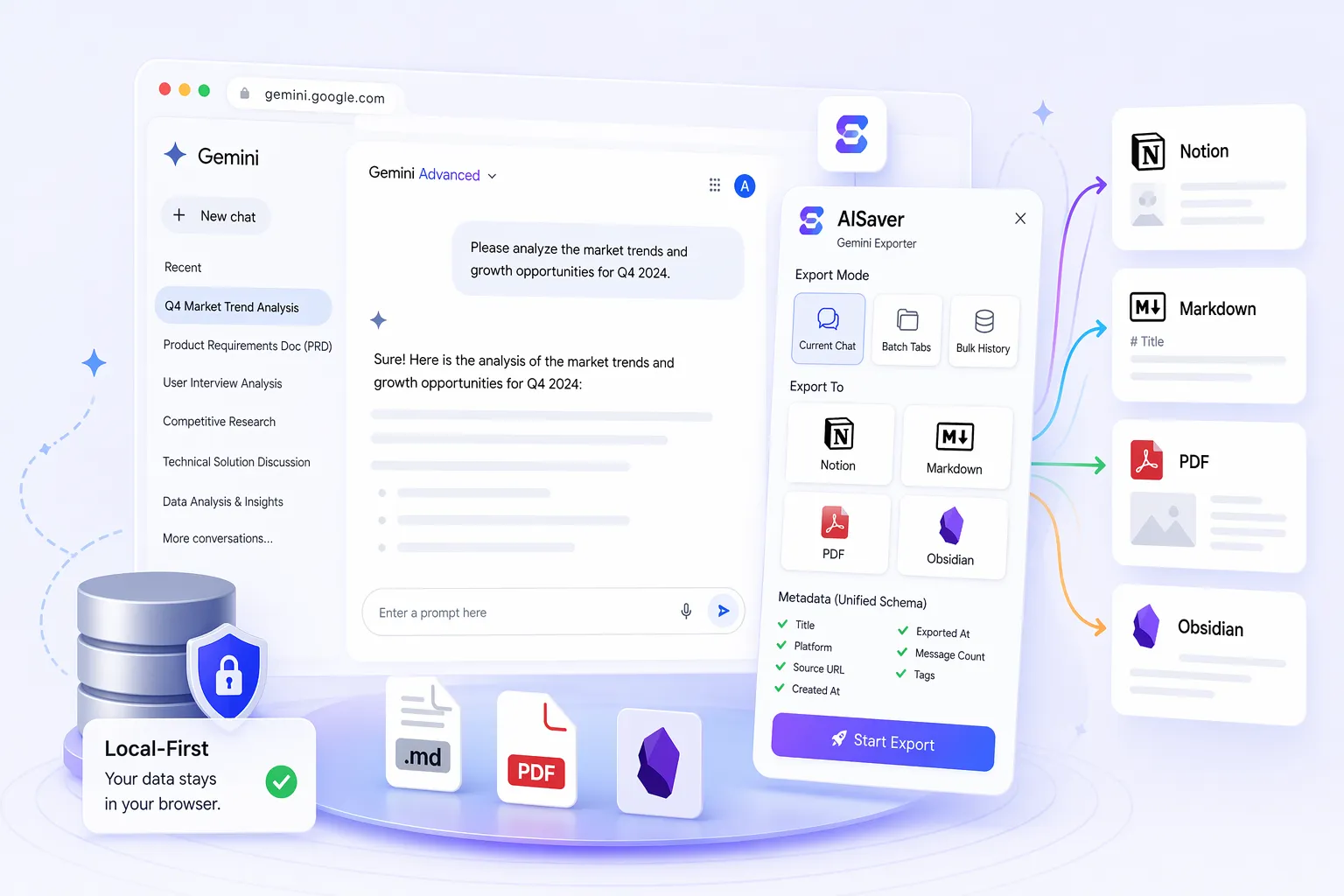
Gemini export plugin
Promise

Built for Gemini image and research workflows

Destinations

Notion, Markdown / Obsidian, PDF

Best for

Researchers and students working with mixed text-and-image outputs

Product video

See Gemini Exporter in action

Watch the workflow before installing: export setup, destination choices, and what a saved Gemini archive looks like.

  • Bulk export Gemini conversations in minutes
  • Keep inline images and media references
  • Preserve formulas and structured answers
What it handles

Built around real Gemini export jobs.

The important details are not hidden in a generic saver flow. This page focuses on the specific archive patterns Gemini users actually need.

Bulk export Gemini conversations in minutes

Keep inline images and media references

Preserve formulas and structured answers

Export to Notion, Markdown, PDF, and Obsidian workflows

Platform fit
Gemini-specific handling for image-heavy conversation exports
Cleaner support for formulas, timestamps, and structured answers
Works well for note systems, research archives, and offline backup
Clear export flow for Gemini conversations that need more than plain text
Export targets

Choose the destination that fits the next step.

Save conversations to the formats that fit your review, sharing, and long-term archive workflow: Notion, Markdown / Obsidian, PDF.

Notion

Move Gemini conversations into a connected Notion workspace for structured review.

  • Clean workspace sync
  • Better browsing later
  • Useful for team knowledge bases

Markdown / Obsidian

Export Gemini chats as reusable Markdown files with strong local portability.

  • Great for Obsidian vaults
  • Useful for offline storage
  • Simple long-term ownership

PDF

Download Gemini conversations as readable PDFs for sharing and archiving.

  • Useful for reports
  • Offline viewing
  • Shareable snapshots
Use cases

Where Gemini exports become useful

Archive Gemini research threads with images and rich answers intact.
Save Gemini notes into Obsidian or Markdown for long-term local access.
Push important Gemini outputs into Notion for searchable team knowledge.
Create PDF exports of Gemini sessions for review, teaching, or documentation.
Best-fit users
Researchers and students working with mixed text-and-image outputs
Google Gemini users building organized personal knowledge systems
Professionals saving reference material for offline access
Teams who need durable Gemini exports for reporting and documentation
User feedback

What users want from Gemini exports

“I was specifically looking for a way to export Gemini chats with images, and most tools only handled plain text. This one finally matched the workflow.”

Iris C. · PhD student

“We use it to save Gemini conversations to Markdown before moving them into our knowledge base. Much better than printing random pages to PDF.”

Gemini FAQ

Focused answers for common setup, privacy, and export questions.

Does the Gemini exporter preserve images?

Yes. Gemini exports are built with image-heavy conversations in mind, so the messaging and workflow are positioned around cleaner preservation than a generic text-only backup.

Can I export Gemini chats to Obsidian?

Yes. Export to Markdown and move the files into your Obsidian vault, or keep them as a local archive outside Obsidian.

Is this different from printing Gemini pages to PDF?

Yes. A dedicated exporter gives you bulk workflow, better organization, and consistent output targets instead of one-off manual printing.

Who is this Gemini plugin best for?

It is especially useful for researchers, students, and anyone who wants to preserve Gemini chats with images, formulas, and structured answers.