What NotebookLMExporter imports and exports, who it helps, and how it differs from the other AISaver plugins.
What NotebookLMExporter Focuses On
NotebookLMExporter is built for users who treat NotebookLM as a research workspace rather than a simple chat app. It supports both directions of work: exporting notebook conversations and Studio Notes as local files, and importing useful outside content into a selected NotebookLM notebook.
The product is intentionally different from the ChatGPT, Claude, Gemini, and Perplexity exporters. NotebookLM users often need notebook selection, highlight capture, local file formats, and notebook-level queues more than a Notion-style sync workflow.
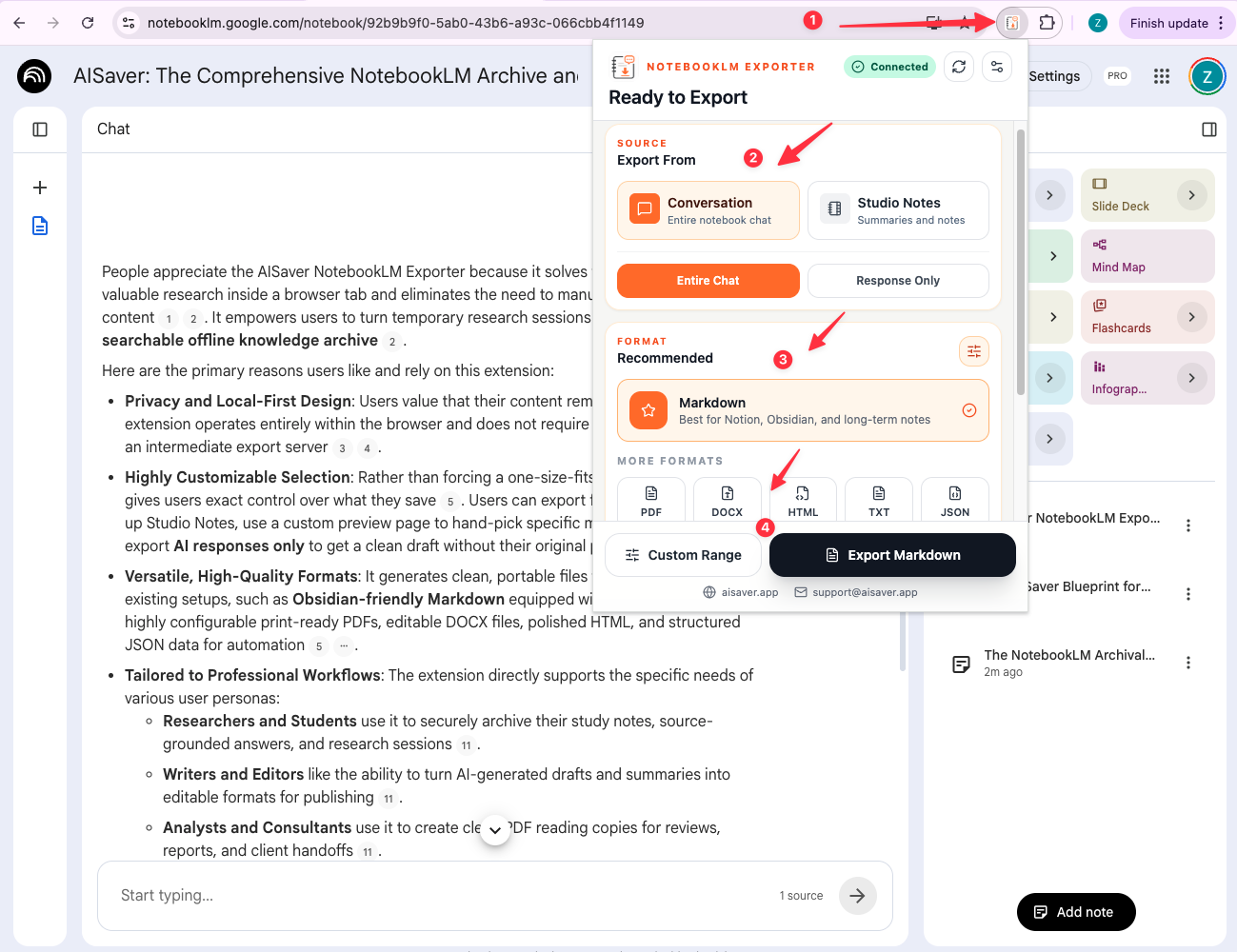
- Export conversations from supported NotebookLM notebook pages
- Export Studio Notes, summaries, and generated note content
- Import supported AI chats, web pages, social threads, and highlights into NotebookLM
- Download Markdown, PDF, HTML, DOCX, JSON, or text files
Best-Fit Users
The strongest use cases are research-heavy workflows: students preserving study sessions, writers collecting draft material, analysts moving evidence between tools, and knowledge workers keeping a cleaner NotebookLM archive.
If you currently copy useful content manually between AI tools, articles, and NotebookLM notebooks, NotebookLMExporter is designed to make that process more repeatable.
- Researchers and students saving source-grounded answers
- Writers and editors preserving outlines, drafts, and summaries
- Analysts and consultants moving evidence into NotebookLM notebooks
- Knowledge workers building local NotebookLM backups